ID photo / print sheet
ID photo / print sheet — Size / framing / background / print copies
Place multiple photos at a size such as 35×45 mm on an A4 PDF. Print at actual size, 100%, and check the measurements. This does not certify passport or visa photo compliance.
- Select images
- Check preview and settings
- Process and save the result
Usage example
- Example input
portrait.jpg- Print sheet size
A4 (210 × 297 mm)- photo width (mm)
35- photo height (mm)
45- Photo copies
6- Expected result
PNG · 413×531 px + A4 PDF · 6 copies
Examples are illustrative. Actual results depend on the source file and settings.
How do I print several 35 × 45 mm photos on A4?
Set the photo to 35 × 45 mm, choose A4 paper and select the number of copies. Adjust zoom and center position, check that the face is not cropped, then save a PDF. The result example includes a real file with six copies.
Print at Actual size (100%) with fit and shrink disabled, then measure the print with a ruler. This layout tool does not certify passport or visa compliance or physical printer accuracy. Check the submission rules separately.
Crop & resize imagesBefore and after, tested with real files
Placing six 35 × 45 mm photos on one A4 sheet
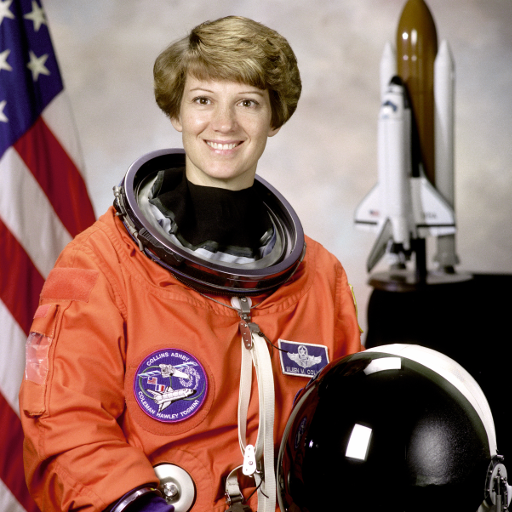
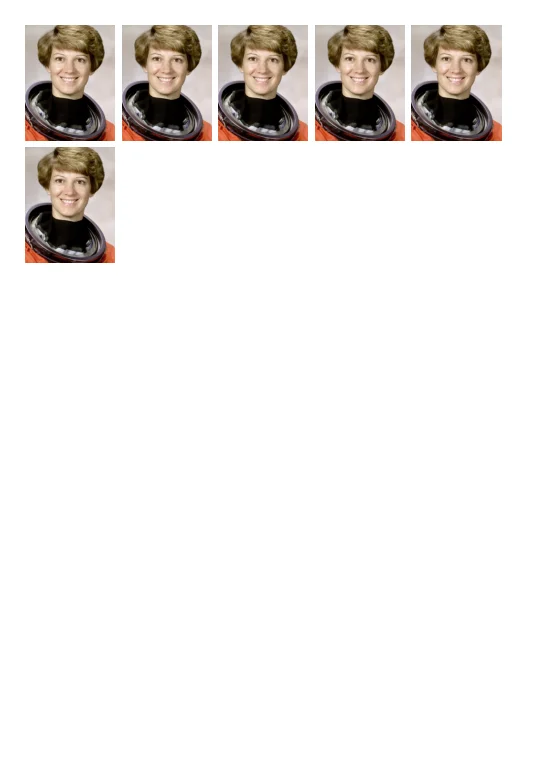
35 × 45 mm × 6 · A4 210 × 297 mm · 300 dpi
The dimensions inside the PDF were checked. Physical printer accuracy and passport/visa compliance were not tested. PNG pixels are rounded; PDF placement uses the specified millimetres.
- Choose the sample portrait and select A4 paper.
- Set 35 mm width, 45 mm height and 6 copies. This example uses 200% zoom, 44% horizontal and 30% vertical center.
- Save the PDF and print on A4 at Actual size (100%). Disable fit/shrink and check the print with a ruler.
Measured on these samples. Content, settings and browser affect the result. Previews are scaled down. Verified · 2026-10-18
Photo source: NASA / Eileen Collins · public domain · This photo demonstrates layout, not official ID-photo compliance. No NASA endorsement or affiliation.
Examples and limitations
Size / framing / background / print copies
Input and output
- Supported input
image/*- Saved output
PNG · PDF [300 dpi]
Limits and checks
- Choose a photo, adjust the framing, then create your files.
- Print the PDF at Actual size / 100%. Disable Fit to page and borderless expansion.
- Cut to the specified size and location. We do not determine whether you meet the official ID photo requirements. Save photo PNG and 300 dpi photo paper PDF.